
OCR Text Detection with MMOCR: How It Works and How to Run It
 Valeria VorozhkoUpdated
OCR text detection finds where text is in an image, recognition reads it. See how MMOCR does both and how to run it in Supervisely to pre-label text fast.
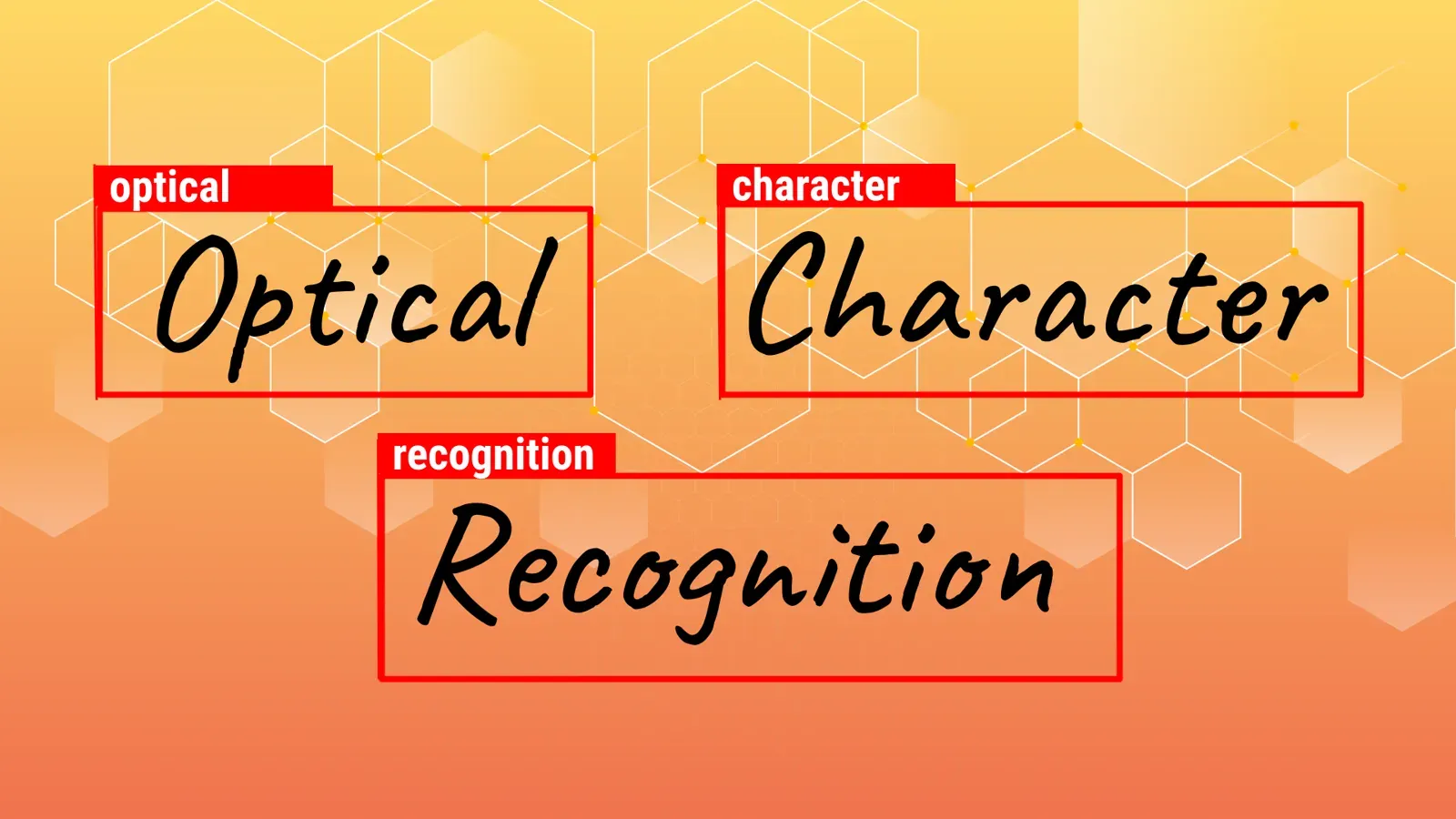
OCR text detection finds where text sits in an image; text recognition then reads it. MMOCR, an open-source PyTorch toolbox from OpenMMLab, does both. In Supervisely you run it as the MMOCR Inference app, and it returns text boxes, recognized text and tags you can correct in the image labeling toolbox.
Below: OCR basics, how MMOCR works, and how to pre-label text with it. For the labeling interface itself, see the image toolbox docs.
Video tutorial
In our tutorial, we demonstrate how to:
-
Utilize MMOCR Inference app to acquire model predictions for text within images.
-
Modify tag values directly within the labeling interface or employ a specialized app Object tags editor for efficient tag management.
What is OCR and how does it work?
OCR, or Optical Character Recognition, is a technology that converts printed or handwritten text into machine-readable text. It's a crucial tool in the digital age, allowing computers to recognize and extract text from images, scanned documents, or other visual sources. OCR software and systems use complex algorithms to analyze the shapes, patterns, and arrangements of characters within an image, translating them into editable and searchable text.
At its core, OCR technology bridges the gap between physical text and digital data. It's a sophisticated system that takes an image containing text, whether it's a scanned document, a photograph, or a screenshot, and converts the text within it into a machine-readable format. This technology has found a home in numerous industries, including:
- Document Management: OCR is a cornerstone in digitalizing paper-based documents. It allows organizations to quickly convert stacks of paperwork into searchable, editable, and easily retrievable digital files.
- Healthcare: OCR plays a vital role in digitizing patient records, prescription labels, and medical reports. It helps streamline healthcare processes and enhance patient care.
- Finance: In the financial sector, OCR is instrumental in automating data extraction from invoices, receipts, and financial documents. This speeds up financial operations and reduces errors.
- Legal: Legal professionals use OCR to efficiently scan and index legal documents, making them searchable and easily accessible.
- Retail: OCR enables inventory management, price tracking, and stock analysis by extracting data from shelf labels and product packaging.
- Education: OCR assists in converting textbooks and handwritten notes into digital formats, making learning materials accessible to a wider audience.
- Transportation and Logistics: OCR is used for reading package labels, sorting mail, and tracking shipments, ensuring efficient logistics operations.
Text detection vs text recognition: what is the difference?
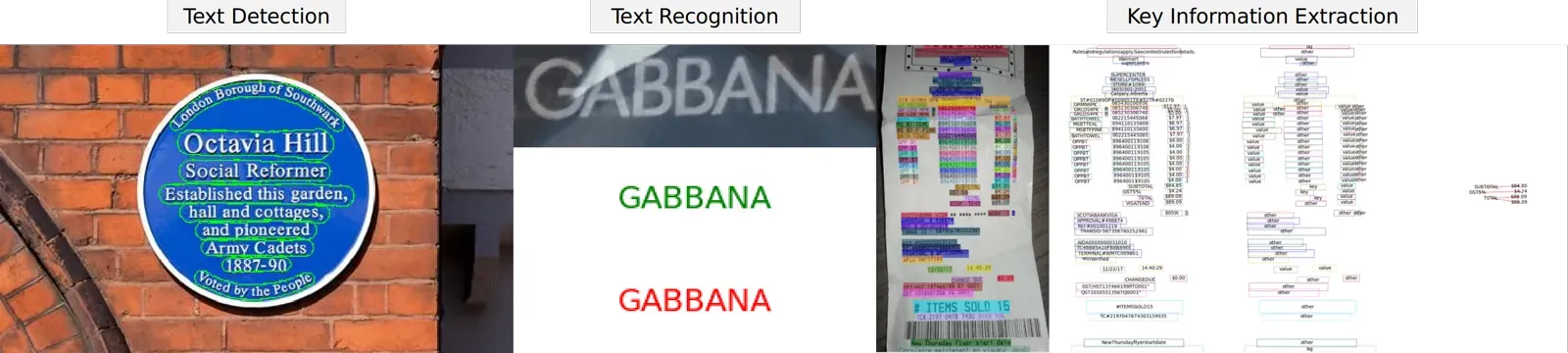
OCR on a photo or scan usually runs in stages. The table summarizes the stages that the MMOCR documentation lists.
| Stage | Question it answers | Output |
|---|---|---|
| Text detection | Where is the text? | Boxes around words or lines (for example, DBNet) |
| Text recognition | What does the text say? | The characters inside each box |
| Key information extraction | Which parts matter? | Fields pulled from the recognized text |
Detection alone is enough when you only need to find or count text regions. Recognition adds the content, and key information extraction is for documents such as invoices.
What is MMOCR and how is it integrated in Supervisely?
Supervisely team has integrated the powerful MMOCR library, a leading open-source OCR Toolbox. This integration brings the capability to harness the potential of OCR directly within the Supervisely platform.
MMOCR Toolbox is a powerful open-source toolbox designed for OCR and text extraction tasks. It serves as a comprehensive toolkit for researchers, developers, and data scientists working in the fields of computer vision, natural language processing, and document analysis.
MMOCR Toolbox provides a wide range of functionalities, including text detection and text recognition. It leverages state-of-the-art deep learning models, making it capable of handling various languages and fonts, and can be employed across numerous applications, such as digitizing documents, automating data entry, and aiding in content analysis.
How to run OCR in Supervisely step by step
In the abovementioned video tutorial , we illustrate how to utilize the MMOCR Toolbox to obtain model predictions for text within images and efficiently manage associated tags. To reproduce this tutorial, you'll need to run the following two apps within the Supervisely Ecosystem:
-
MMOCR Inference

This app provides outputs including recognized text, bounding boxes and tags with values of the recognised text for efficient text analysis within images.
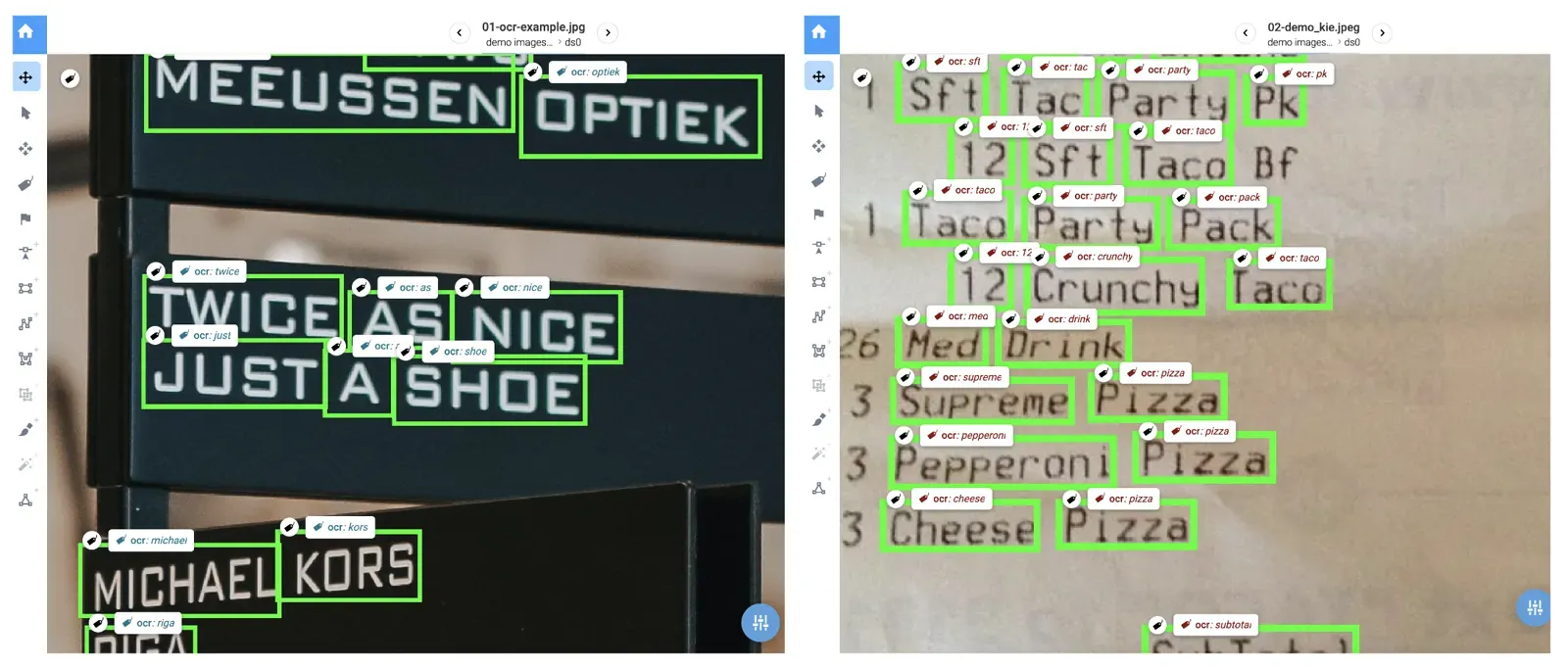
Check the predictions on your own images: good ones save you typing, and wrong ones are easy to fix in the next step.
-
Object tags editor

This application provides a convenient means to edit object tags within images. You can seamlessly iterate through images and objects within your dataset or project, streamlining the process of modifying tags to suit your specific needs.
Object tags editor AppWant to try it? Sign up for the free Community Edition and run both apps on your own images.
Conclusion
OCR turns text in images into data. MMOCR handles detection and recognition, and Supervisely wraps it in apps so you can pre-label text, then correct the tags by hand. For more AI-assisted labeling options, see SmartTool and OWL-ViT, or train your own detector with the no-code YOLOv8 tutorial.
Frequently asked questions
What is OCR text detection?
Text detection is the first step of OCR. A model finds where text is in an image and returns boxes around words or lines. A second step, text recognition, reads the characters inside each box.
What is the difference between text detection and text recognition?
Detection answers where the text is. Recognition answers what it says. MMOCR supports both, plus key information extraction, which pulls fields such as names or totals out of recognized text.
What is MMOCR?
MMOCR is an open-source toolbox from OpenMMLab, built on PyTorch and MMDetection. It covers text detection, text recognition and key information extraction. DBNet is one of its text detection models.
How do I run OCR in Supervisely?
Run the MMOCR Inference app to get predictions for text in your images. It returns bounding boxes, the recognized text and tags that hold the recognized text. The video tutorial in this post shows each step.
Can I fix wrong OCR predictions?
Yes. Edit the tag values right in the labeling interface, or use the Object tags editor app to step through objects in a dataset or project and correct them.
Is OCR in Supervisely free to try?
Yes. The Community Edition is free and needs no credit card. Sign up and run the MMOCR Inference app on your own images.