
Segment Anything 2 (SAM 2): Video Segmentation, SAM 2.1 and SAM 3
 Max TeselkinUpdated
SAM 2 segments and tracks objects in images and video. See what changed in SAM 2.1 and SAM 3, a SAM vs SAM 2 vs SAM 3 table, and how to use it in Supervisely.
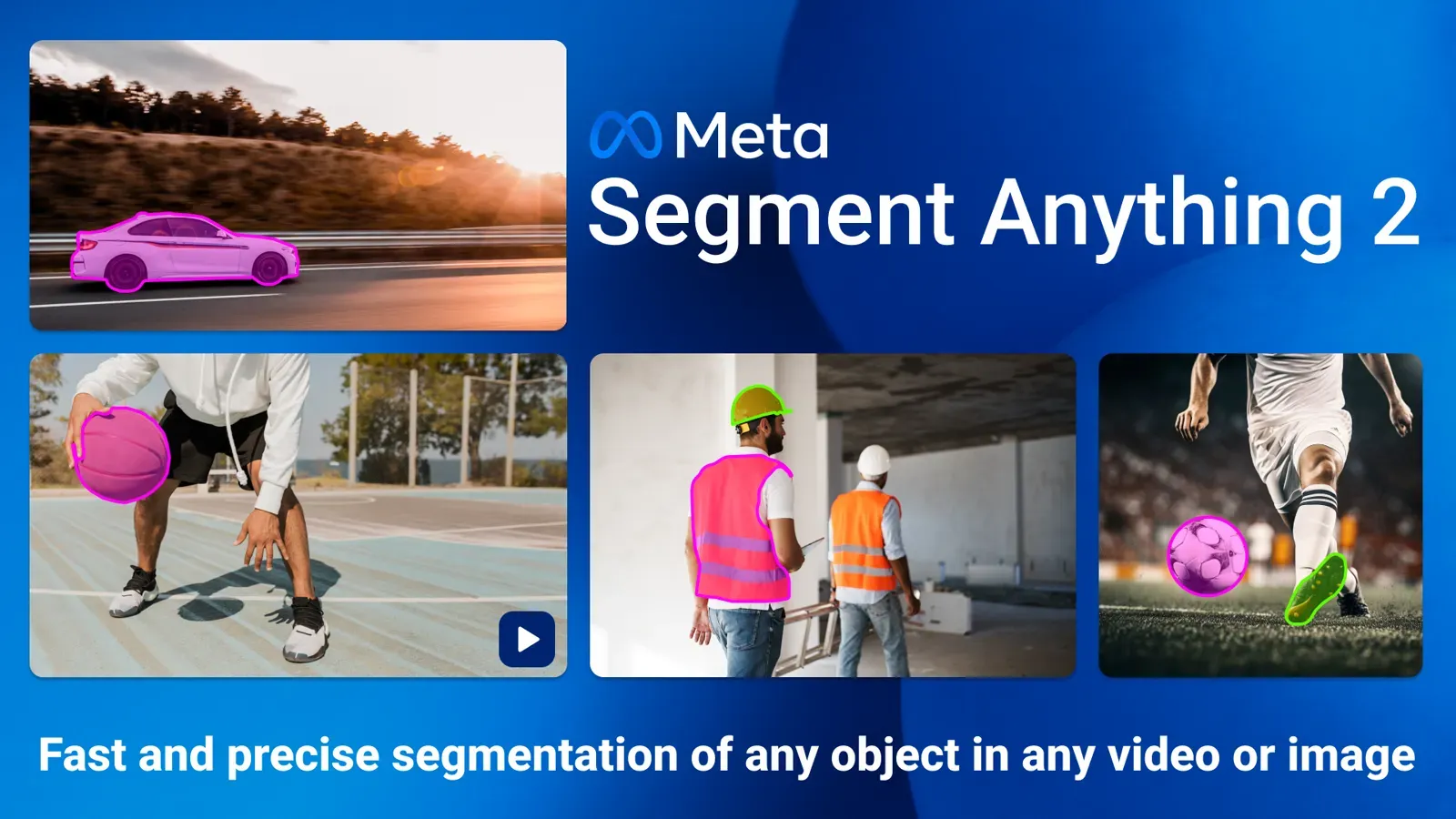
Segment Anything 2 (SAM 2) is Meta's open foundation model that segments an object in an image or video from a click, box or mask, then tracks it across frames. Meta released it on July 29, 2024. SAM 2.1 improved the checkpoints, and SAM 3 adds text prompts. This guide covers all three and shows how to use SAM 2 in Supervisely video labeling.
The first Segment Anything won an Honorable Mention at ICCV 2023. Segment Anything 2 extended it from images to video. In Supervisely, SAM 2 runs inside the Smart Tool and the video tracking workflow, and the model is part of the Supervisely Ecosystem.
Video tutorial
In this video you will learn how to annotate images with SAM 2 in Supervisely.
You will see:
-
How to create classes and segment objects by drawing a bounding box and refining the mask with positive and negative clicks.
-
How this class-agnostic model segments objects from different domains, including objects made of many parts.
-
How to use SAM 2, which is deployed by default for all users, and how to run it on your own GPU (see pricing for plan limits).
What is Segment Anything 2?
Segment Anything Model 2 (SAM 2) is a foundation model for promptable segmentation in images and videos. It uses a transformer architecture with streaming memory for real-time video processing. Meta says it is six times faster than SAM on images and needs about three times fewer interactions on video, and that inference feels real-time at about 44 frames per second. The code and weights are Apache 2.0.
SAM 2 generalizes SAM to video. It processes a video frame by frame and uses a memory attention module to look at earlier memories of the target object. On a single image the memory is empty, so the model behaves like the original SAM.
What changed in SAM 2.1?
SAM 2.1 is a model update, not a new architecture. According to the official GitHub repository, the changes are:
- Improved checkpoints, released on September 29-30, 2024 (the repo gives both dates).
- Training and fine-tuning code, so you can adapt SAM 2.1 to your own data.
- Web demo code, frontend and backend.
- December 11, 2024: full-model
torch.compilesupport for video, and a video predictor that runs each object independently.
The four SAM 2.1 checkpoints, with speed measured by Meta on an A100 GPU:
| Checkpoint | Parameters (M) | Speed (FPS) | SA-V test (J&F) | MOSE val (J&F) |
|---|---|---|---|---|
| hiera_tiny | 38.9 | 91.2 | 76.5 | 71.8 |
| hiera_small | 46 | 84.8 | 76.6 | 73.5 |
| hiera_base_plus | 80.8 | 64.1 | 78.2 | 73.7 |
| hiera_large | 224.4 | 39.5 | 79.5 | 74.6 |
Pick tiny or small when speed matters. Pick large when mask quality matters more.
What is SAM 3, and how is it different?
SAM 3 is the next model in the family. It is described in the paper SAM 3: Segment Anything with Concepts, submitted on November 20, 2025. The key change is promptable concept segmentation: you give a short noun phrase such as "striped red umbrella", or an example image, and SAM 3 returns masks and IDs for all matching instances. SAM 2 segments one object per prompt.
What the official pages state:
- SAM 3 has 848M parameters. A detector and a tracker share one vision encoder, and the tracker keeps the SAM 2 design.
- The paper says SAM 3 doubles the accuracy of existing systems on image and video concept segmentation.
- Meta's announcement reports 30 ms per image with more than 100 detected objects on an H200 GPU, and training data with over 4 million unique concepts.
- SAM 3.1 (March 27, 2026) tracks multiple objects in one pass. Meta reports throughput rising from 16 to 32 frames per second on one H100 for videos with a medium number of objects.
- SAM 3 uses the separate SAM License, and checkpoints on Hugging Face need an access request.
We did not test SAM 3 in Supervisely for this article, so the workflow below uses SAM 2. Check the Supervisely Ecosystem for the models available now.
SAM vs SAM 2 vs SAM 3: which one to use?
| SAM | SAM 2 / 2.1 | SAM 3 | |
|---|---|---|---|
| Released | April 5, 2023 | July 29, 2024 (2.1: September 2024) | Paper on November 20, 2025 (3.1: March 27, 2026) |
| Media | Images | Images and video | Images and video |
| Prompts | Points, boxes, masks | Points, boxes, masks | Text phrases, image exemplars, points, boxes, masks |
| Result per prompt | One object | One object, tracked across frames | All instances of a concept, with IDs |
| Size | not checked | 38.9M to 224.4M parameters | 848M parameters |
| License | not checked | Apache 2.0 | SAM License |
Sources: SAM announcement, SAM 2 repo, SAM 3 repo.
When to use which:
- SAM 2 or 2.1 when you point at one object and want a precise mask, or want to track it through a video. This is the interactive labeling case.
- SAM 3 when you want every object of a category found from a text phrase, for example to pre-label all "forklift" instances.
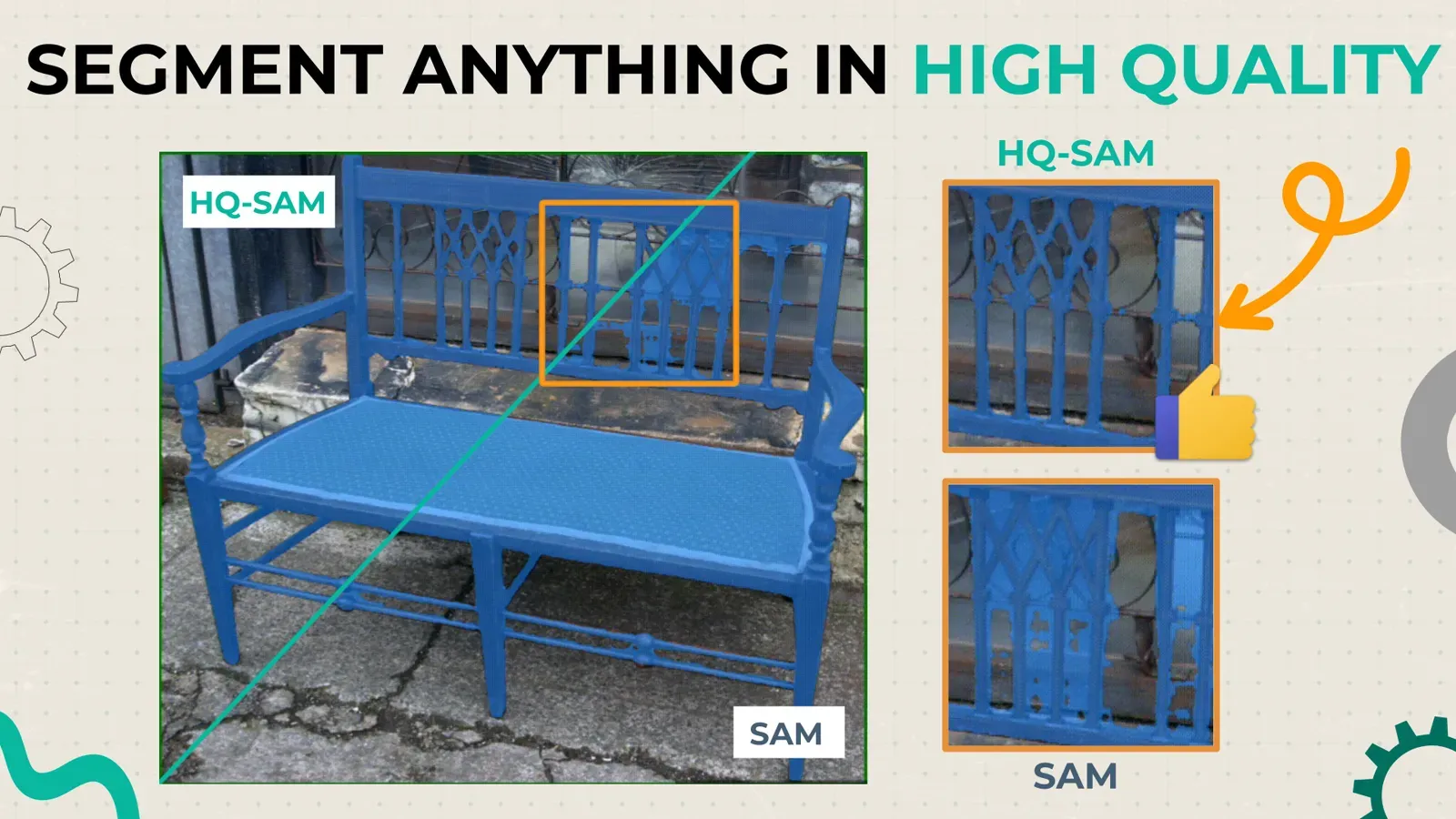
- Original SAM only for single images when a pipeline already depends on it. For sharper edges, see HQ-SAM.
How does SAM 2 work?
How is SAM 2 different from SAM 1?
Unlike the first version of Segment Anything, the frame embedding used by the SAM 2 decoder is conditioned on memories of past predictions and prompted frames (instead of being taken directly from an image decoder). Memory encoder creates "memories" of frames based on the current prediction, these "memories" are stored in model's memory bank for use in subsequent frames. The memory attention operation takes the per-frame embedding from the image encoder and conditions it on the memory bank to produce an embedding that is then passed to the mask decoder.
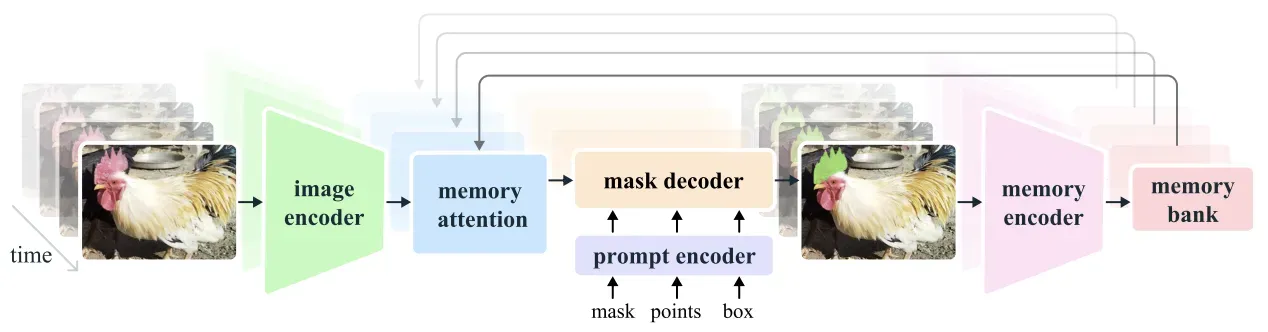 SAM 2 architecture: image encoder, memory attention, memory bank and mask decoder
Key components
Image encoder
Segment Anything 2 uses Hiera pretrained hierarchical image encoder — hierarchical structure allows using multiscale features during decoding. Image encoder is used only once for the entire interaction to get feature embeddings representing each frame.
Prompt encoder and mask decoder
SAM 2 prompt encoder is identical to prompt encoder of the first version of SAM. Mask decoder is similar to the first version of SAM, but has some specific features. The first version of SAM assumed that there is always a valid object to segment given a positive prompt, but new version of SAM supports also promptable video segmentation task — and in this task target object can be not present on some frames. To handle such corner cases an additional head was added to predict whether the target object is present on the current frame or not. New mask decoder also uses skip connections from hierarchical image encoder — it is necessary for getting high-resolution information for mask decoding.
Memory encoder
Memory encoder down samples output masks with the help of convolutional module and sums it element-wise with frame embedding from image encoder. Lightweight convolutional layers are used for information fusion.
Memory bank
Memory bank is used to store information about previous predictions for target object. Memory bank employs FIFO (first-in-first-out) queue of memories up to N recent frames and M prompted frames — both sets of memories are stored in a form of spatial feature maps. In addition to these spatial feature maps, memory bank also stores a list of object pointers — lightweight vectors for high-level semantic representation of objects to be segmented. These vectors are produced based on mask decoder output tokens of each frame.
Memory attention
Memory attention is used to produce current frame features based on the features of previous frames plus new prompts. Several transformer blocks are stacked, the first block takes encoding of current frame as an input, each block performs self-attention in combination with cross-attention to memories of frames, stored in a memory bank, followed by MLP.
Training data: the SA-V dataset
SAM 2 was trained on images and videos together. Its SA-V dataset has about 51,000 videos and more than 600,000 masklets (spatio-temporal masks). Meta says this is about 4.5 times more videos than the previous largest video segmentation dataset. SA-V is released under CC BY 4.0.
How accurate is SAM 2?
Promptable video object segmentation
Promptable video object segmentation assumes generation of masks for initial frame and tracking of these masks on the rest of the frames.
For this task, authors of SAM 2 had two modes: offline evaluation, where multiple passes are made through a video to select frames to interact with based on the largest model error, and online evaluation, where the frames are annotated in a single forward pass through the video. Meta evaluated both modes on zero-shot video datasets with three clicks per frame.
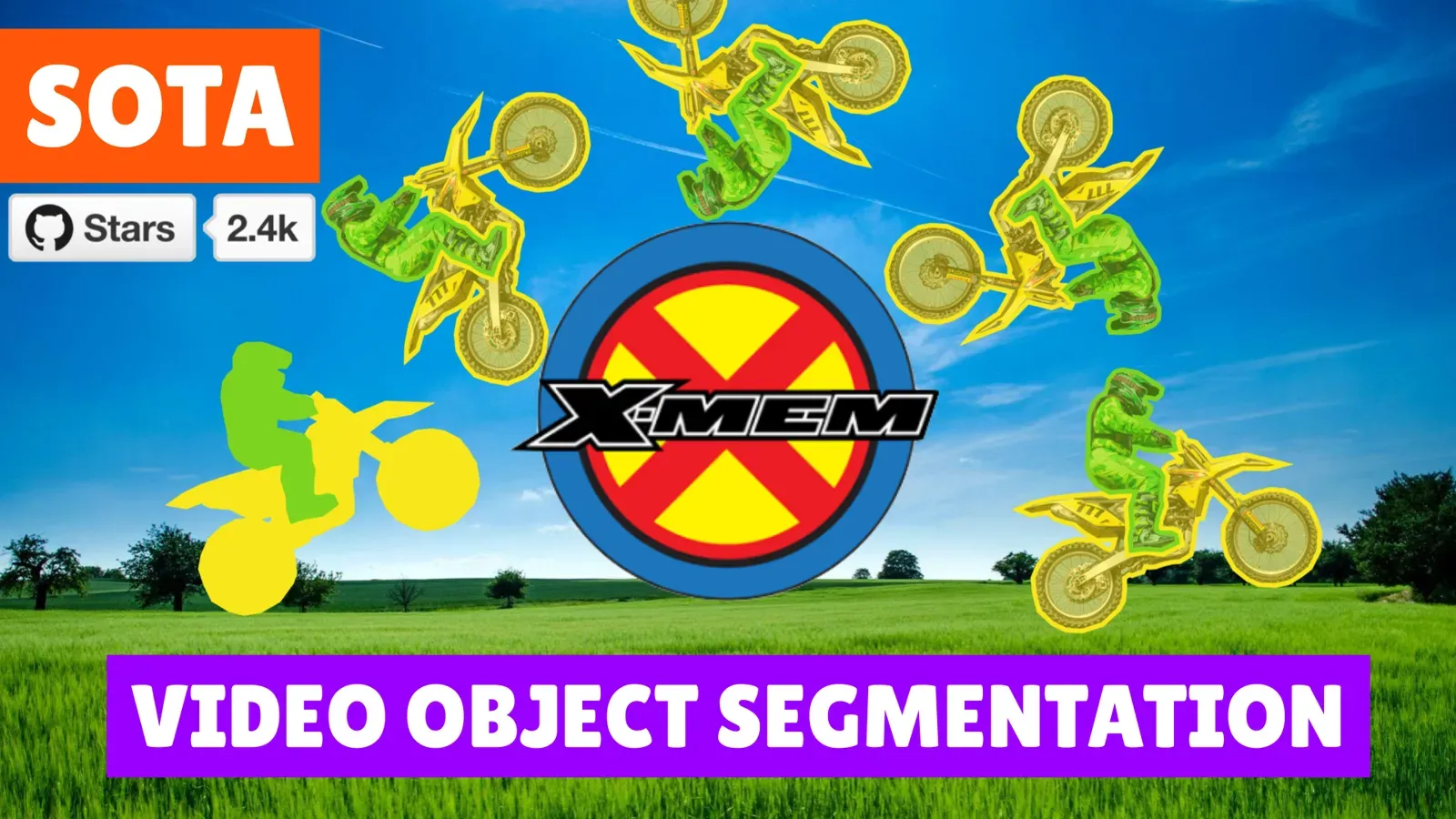
Previous approaches for promptable video object segmentation usually required using several models: one model for initial frame labeling and another one for masks tracking. Good examples of such tandem are SAM + XMem++ and SAM + Cutie. Segment Anything 2 outperforms both of these combinations while being able to both create masks on initial frame and track them on the rest of the frames:
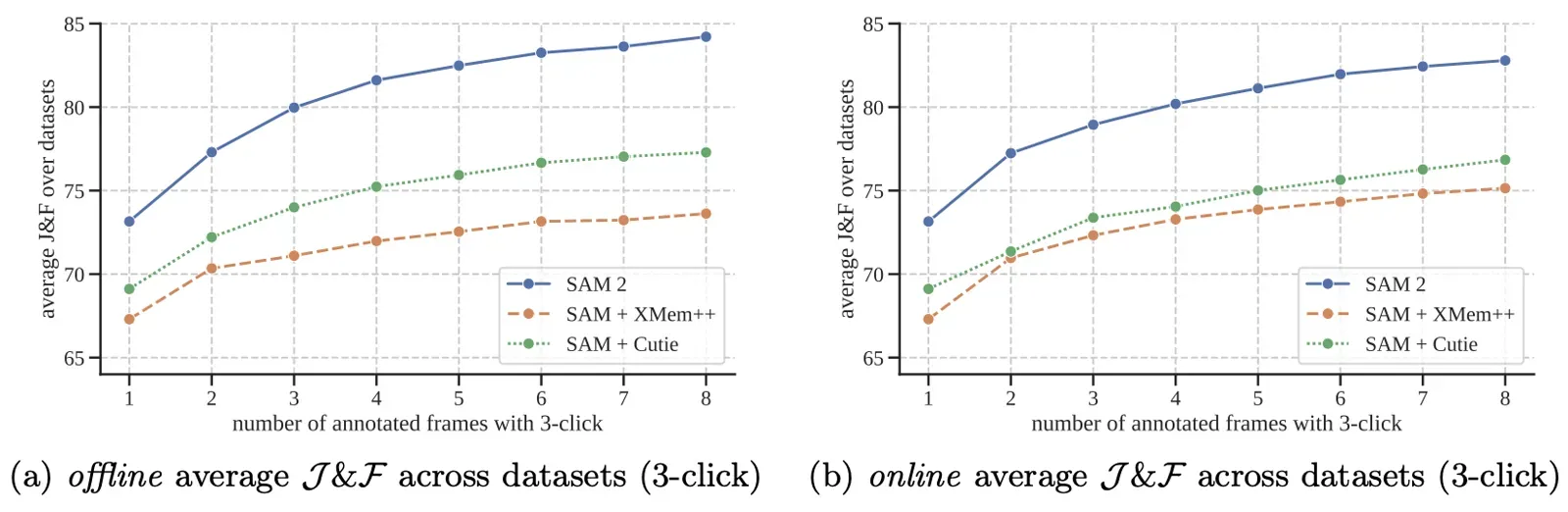 SAM 2 promptable video object segmentation
Semi-supervised video object segmentation
Semi-supervised video object segmentation assumes usage of existing box, click or mask prompts only on initial frame of the sequence and tracking of segmentations on the rest of sequence. Authors of SAM 2 used click prompts, interactively sampled either 1, 3 or 5 clicks on the first video frame and then tracked the object based on these clicks.
Segment Anything 2 outperforms preexisting methods for this task:
 SAM 2 semi-supervised video object segmentation
Another variation of semi-supervised video object segmentation assumes usage of ground truth mask on the first frame as a prompt. SAM 2 demonstrates significantly better performance than existing approaches:
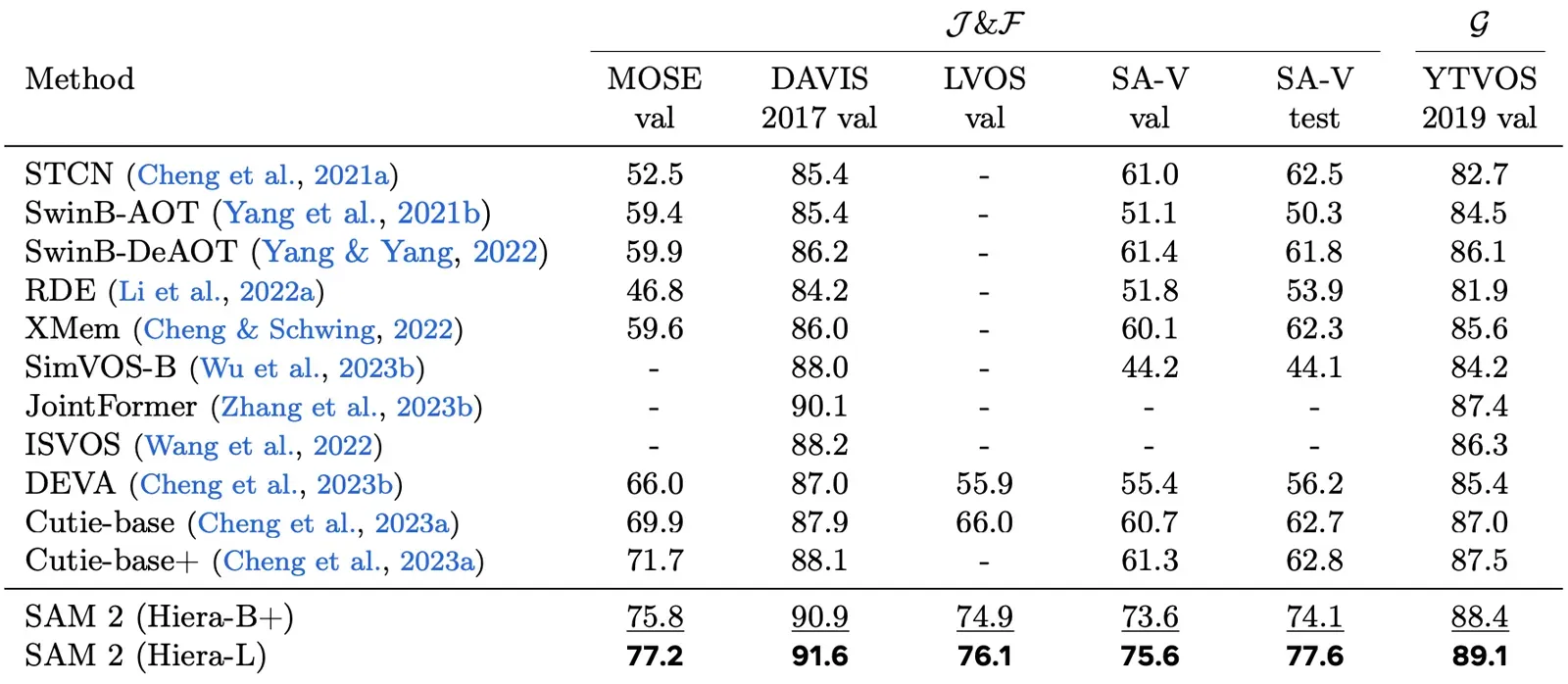 SAM 2 semi-supervised video object segmentation
Image tasks
Meta reports that SAM 2 beats SAM on its 23-dataset zero-shot benchmark suite while being six times faster. The authors attribute this mainly to the smaller and more effective Hiera image encoder.
 SAM 2 image tasks
How to use SAM 2 in Supervisely
SAM 2 is available to all Community users by default and is deployed in Supervisely Cloud. The platform also runs on-premise. Follow these steps to use SAM 2 in the image labeling toolbox.
1. Segment objects on images
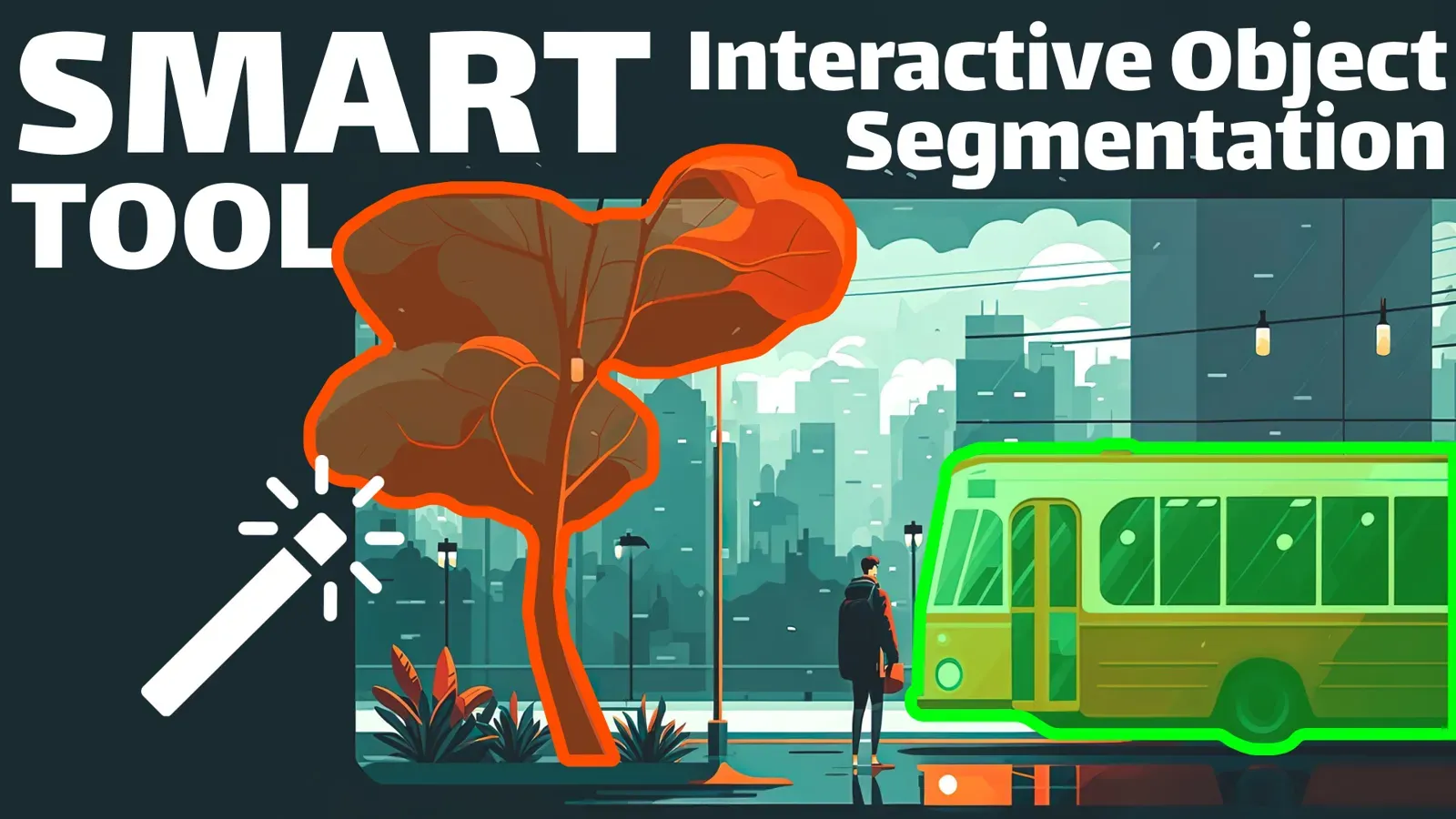
Usage of Segment Anything 2 as a Smart Tool for image labeling. Just open annotation toolbox, select the Smart Tool instrument for object segmentation, put bounding box around the object of interest and correct the model's predictions with positive and negative clicks:
2. Video object segmentation and tracking
To perform video object segmentation and tracking, you need to segment object in the first frame and then press the Track button in the timeline. Make sure that you are using the SAM2 model and have configured the number of frames for tracking.
3. Automatic image mask generation
Generate automatic image masks without any prompts via NN Image Labeling app. Run the app inside the annotation toolbox, connect to the SAM2 model and press Apply model button to get the predictions. Then, use the right mouse button to assign the correct classes to automatically segmented objects.
You can also apply the model to an object in bounding box. This is a way to get prediction only within a specific region of interest on the image:
4. Batched Object Segmentation
Fast labeling of images batch via Batched Smart Tool app. If you have bounding boxes around your objects, you can use this app to apply SAM in a batched manner, speeding up the annotation of all objects in your training dataset. The SAM2 model will be applied to every object in your dataset, and you can refine the model's predictions if the object segmentation is not precise enough.
How to deploy SAM 2 on your own GPU
You can also run the model on your own GPU. See pricing for how many GPUs each plan connects.
Step 1. Connect your GPU
In Supervisely you can connect your own GPU to the platform and run any neural network on it. To connect your computer, watch the videos for MacOS, Ubuntu, any Unix OS or Windows. For labeling at scale, see AI-assisted labeling.
Step 2. Run the app to deploy SAM 2
Select the pretrained model architecture, press the Serve button and wait for the model to deploy.
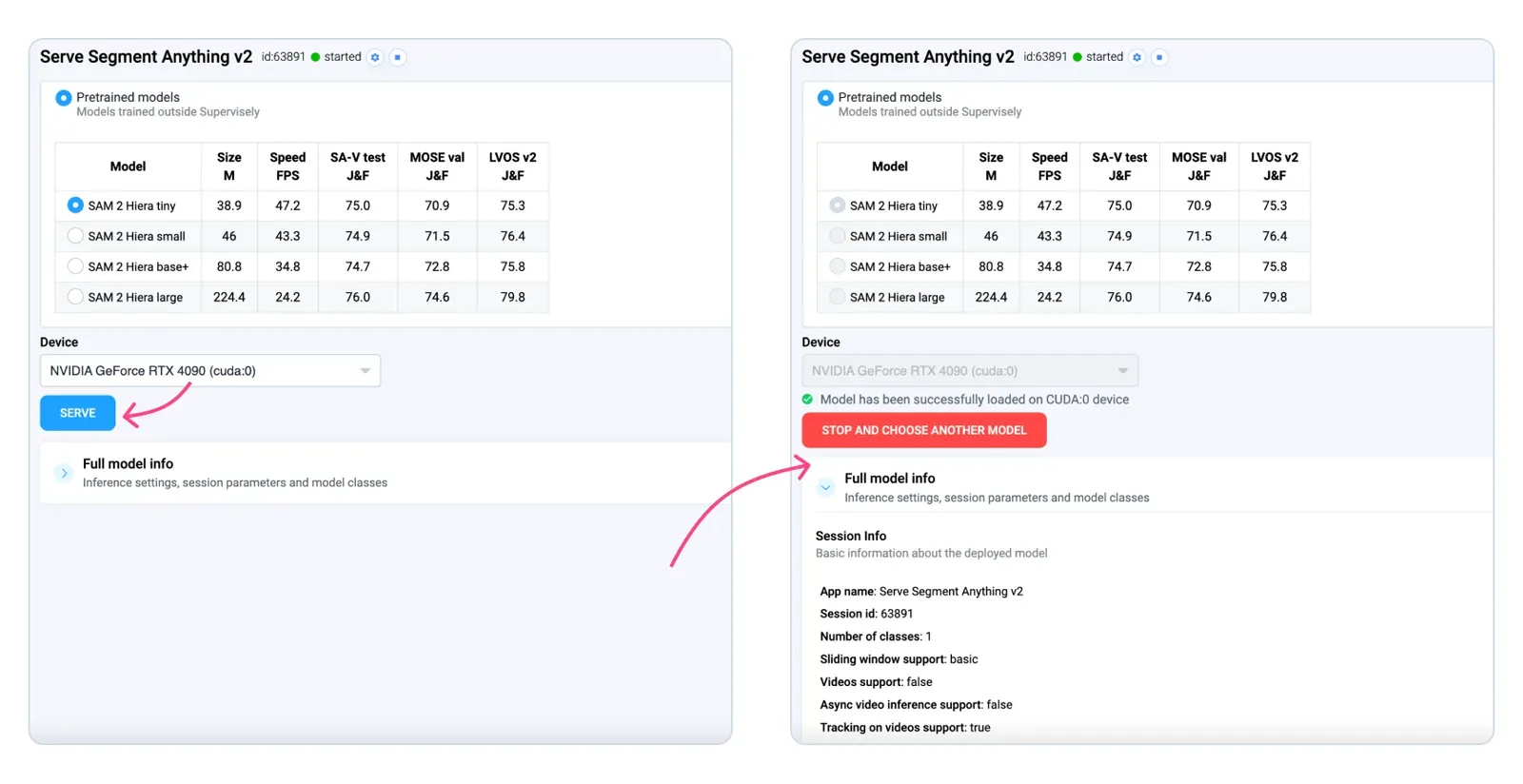
Now you can use your own SAM 2 model for image and video segmentation. Repeat the steps above.
Conclusion
SAM 2 handles image and video segmentation with one model, SAM 2.1 improves its checkpoints, and SAM 3 adds text-based concept prompts. For more on tracking methods, read the complete guide to object tracking. For video masks with other models, see XMem + Segment Anything, and for the click-based tool see the Smart Tool. Sign up and label your data for free in Community Edition.
Frequently asked questions
What is Segment Anything 2 (SAM 2)?
SAM 2 is an open foundation model from Meta that segments objects in images and videos from prompts such as clicks, boxes or masks. It tracks the selected object across video frames using a streaming memory. Meta released it on July 29, 2024 under the Apache 2.0 license.
What is the difference between SAM 2 and SAM 2.1?
SAM 2.1 is an update with improved checkpoints, released in September 2024 together with training and fine-tuning code and web demo code. The model family is the same. The four checkpoints (tiny, small, base plus, large) range from 38.9M to 224.4M parameters.
What is new in SAM 3?
SAM 3 adds promptable concept segmentation. You give a short noun phrase or an example image, and the model finds, segments and tracks every matching object. SAM 2 segments one object per prompt. SAM 3 has 848M parameters and is described in the paper arXiv 2511.16719.
Can I use SAM 2 commercially?
Meta released the SAM 2 code and weights under Apache 2.0, which allows commercial use. The SA-V dataset is under CC BY 4.0. SAM 3 is released under the separate SAM License, so read it before you use SAM 3 commercially.
Can SAM 2 track objects in video?
Yes. You segment the object on one frame with clicks or a box, and SAM 2 propagates the mask through the following frames. You can add corrective clicks on any frame. In Supervisely you do this with the Track button in the video timeline.
How do I use SAM 2 in Supervisely?
Open the labeling toolbox, pick the Smart Tool, choose the SAM 2 model, draw a box around the object and refine it with positive and negative clicks. For video, segment the object on the first frame and press Track. SAM 2 runs in Supervisely Cloud for Community users, or on your own GPU.