
Pose Estimation Models: Human and Animal Pose Estimation Explained
 Lisa UspenyevaUpdated
What pose estimation is, which models to pick (OpenPose, HRNet, ViTPose, RTMPose, YOLO pose) and how to label keypoints for people and animals in Supervisely.
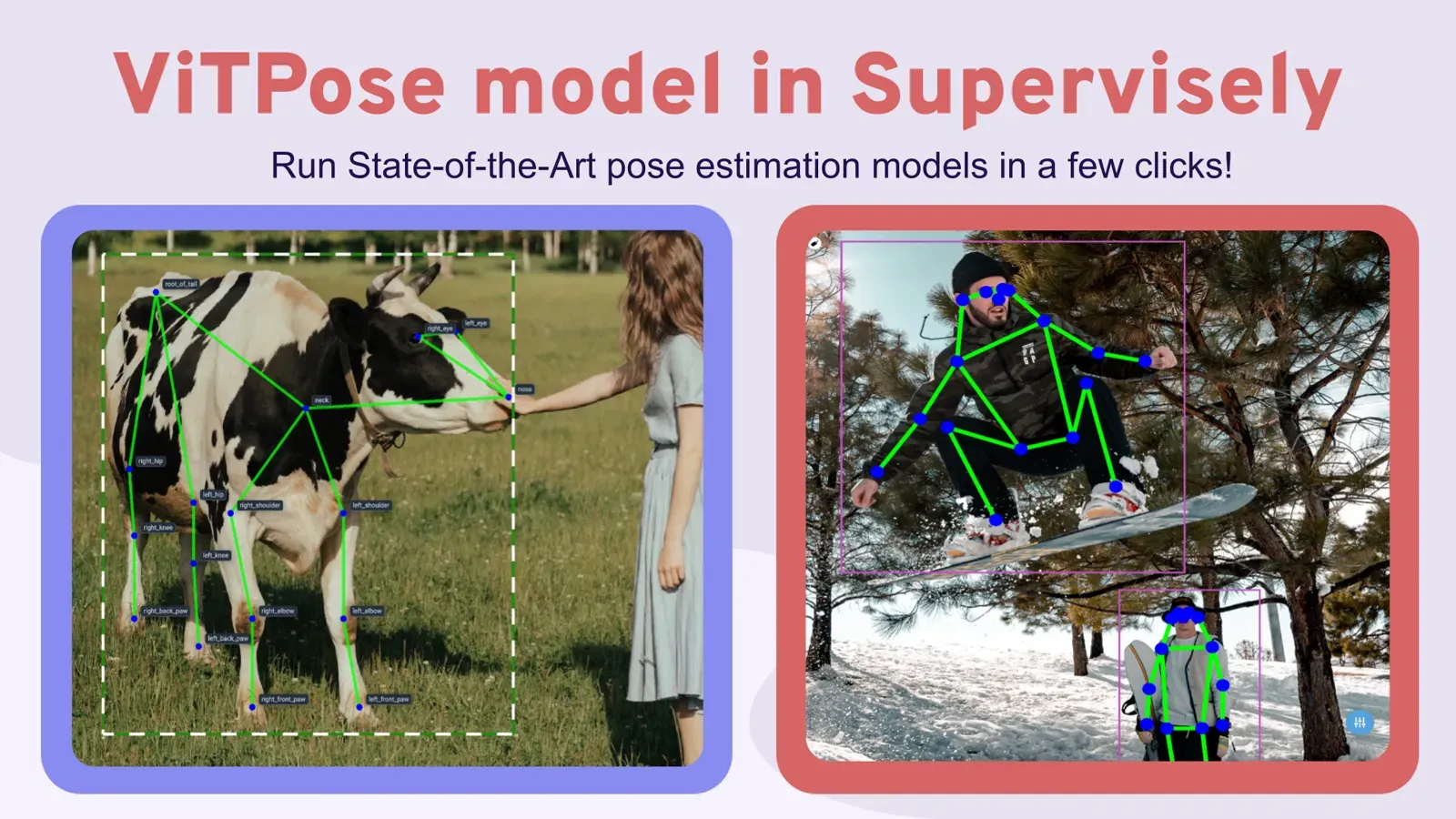
Pose estimation finds the position of body joints (keypoints) in an image or video and joins them into a skeleton. The best-known pose estimation models are OpenPose, HRNet, ViTPose, RTMPose and YOLO pose. This guide compares them, explains human versus animal pose estimation, and shows how to label keypoints in Supervisely.
What is human pose estimation?
Human pose estimation (HPE) is the task of detecting and localizing body joints such as elbows and knees, also known as keypoints, on images or videos. The widely used COCO keypoint format describes one person with 17 keypoints, from the nose to the right ankle.
Pose estimation lets a model recognize and analyze human movement and its interaction with the environment. It is used in:
- Healthcare to analyze patient movements during rehabilitation after injury or surgery, and to analyze gait for orthopedic and neurological assessments.
- Fitness and Sports to track workout form and technique to prevent injuries, and to build virtual trainers.
- Entertainment and Gaming to enable gesture-based control in video games and virtual reality (VR).
- Retail and E-commerce to improve virtual try-on and augmented reality (AR) shopping.
- Gesture and Communication to control devices with gestures and body movements.
- Autonomous Vehicles to improve driver monitoring and pedestrian detection.
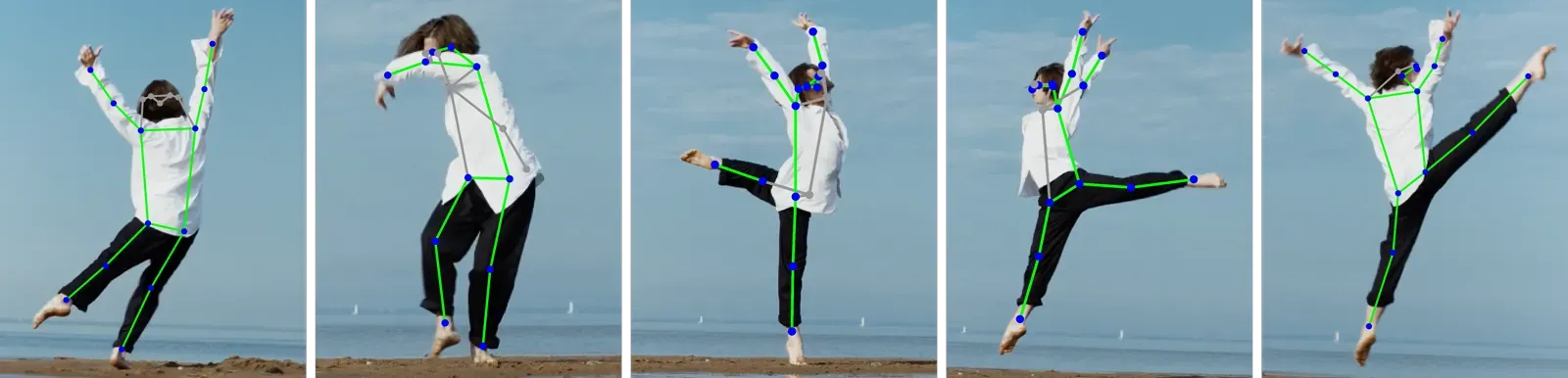 Dancer's pose estimation
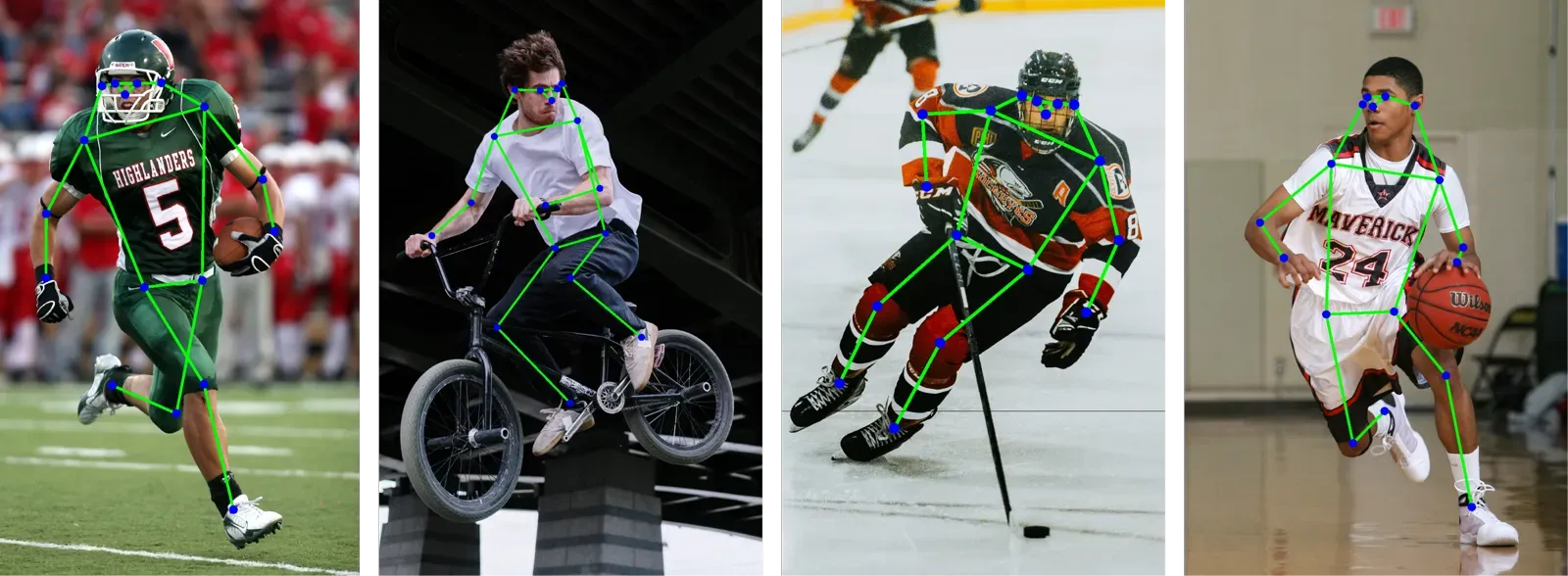 HPE in sports
Which pose estimation models should you use?
The table compares the models most teams look at first. All numbers come from the papers and official repositories linked in the table. They are not measured on identical conditions: training data, input size and hardware differ, so use them as a guide and test on your own images.
| Model | Approach | Reported result | Size and speed | Good for |
|---|---|---|---|---|
| OpenPose | Bottom-up, Part Affinity Fields | Multi-person body, foot, hand and face keypoints (135 in total, per the repo) | Real-time; no COCO figure checked | Many people in a frame, hands and face. Free for non-commercial use only |
| HRNet-W48 | Top-down, high-resolution features | 75.5 AP, COCO test-dev, 384x288 input | 63.6M parameters, 32.9 GFLOPs | A strong, well-known accuracy baseline |
| RTMPose-m | Top-down, real-time | 75.8 AP on COCO (AIC+COCO training), 256x192 | 13.59M parameters; 90+ FPS on an Intel i7-11700 CPU, 430+ FPS on a GTX 1660 Ti (paper) | Edge devices and real-time apps |
| ViTPose | Top-down, plain vision transformer | 81.1 AP, COCO test-dev (ViTAE-G). ViTPose-B 75.8 and ViTPose-H 79.1 on COCO val (repo) | From about 100M to 1B parameters | Highest accuracy, auto-labeling. Also has animal checkpoints |
| YOLO26-pose | Single-stage detection plus keypoints | 57.2 mAP (n) to 71.6 mAP (x), COCO val2017 | 2.9M to 57.6M parameters | One model for detection and pose, easy training |
How to read it:
- Need the best accuracy for labeling? Use ViTPose. It is the model we serve in Supervisely, see the ViTPose tutorial.
- Need speed on a CPU or phone? RTMPose-m is the pick in this table.
- Need one model for people detection and pose? YOLO pose models do both. You can also train YOLOv8 on your data without code.
- Need hands and face too? OpenPose covers them, but check the license first.
Top-down or bottom-up pose estimation?
Top-down models (HRNet, ViTPose, RTMPose) first find each person with a bounding box, then predict keypoints inside the box. Bottom-up models (OpenPose) find all keypoints first and group them into people. Top-down is usually more accurate. Bottom-up keeps its runtime steady when the scene is crowded.
What types of human body models exist?
The human body can be represented by three types of models:
-
Kinematic model (skeleton-based). An adaptable, easy-to-use model that describes the body as a set of connected keypoints for bones or joints. It is widely used to capture natural motions and postures, but it says little about texture and shape. It works for both 2D and 3D pose estimation.
-
Planar model (contour-based). Body parts are approximated with rectangles that follow the contours of the body. It is useful for segmentation and classification and is mostly used for 2D pose estimation.
-
Volumetric model (volume-based). The body is represented as three-dimensional shapes such as cylinders and cones. It is used for 3D pose estimation.
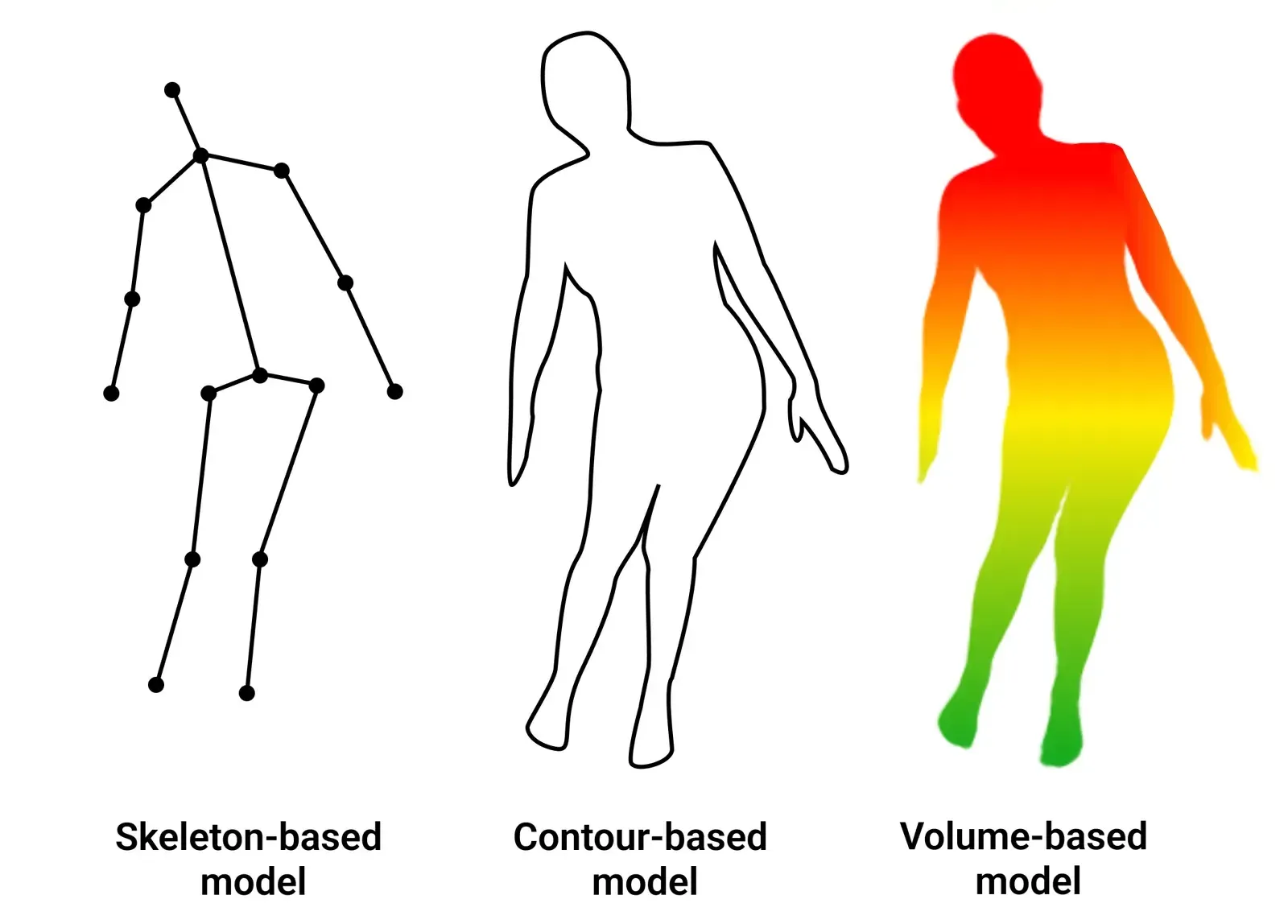 Human body models
The rest of this guide focuses on 2D skeleton-based pose estimation, because 3D usually starts with 2D algorithms before moving into 3D space:
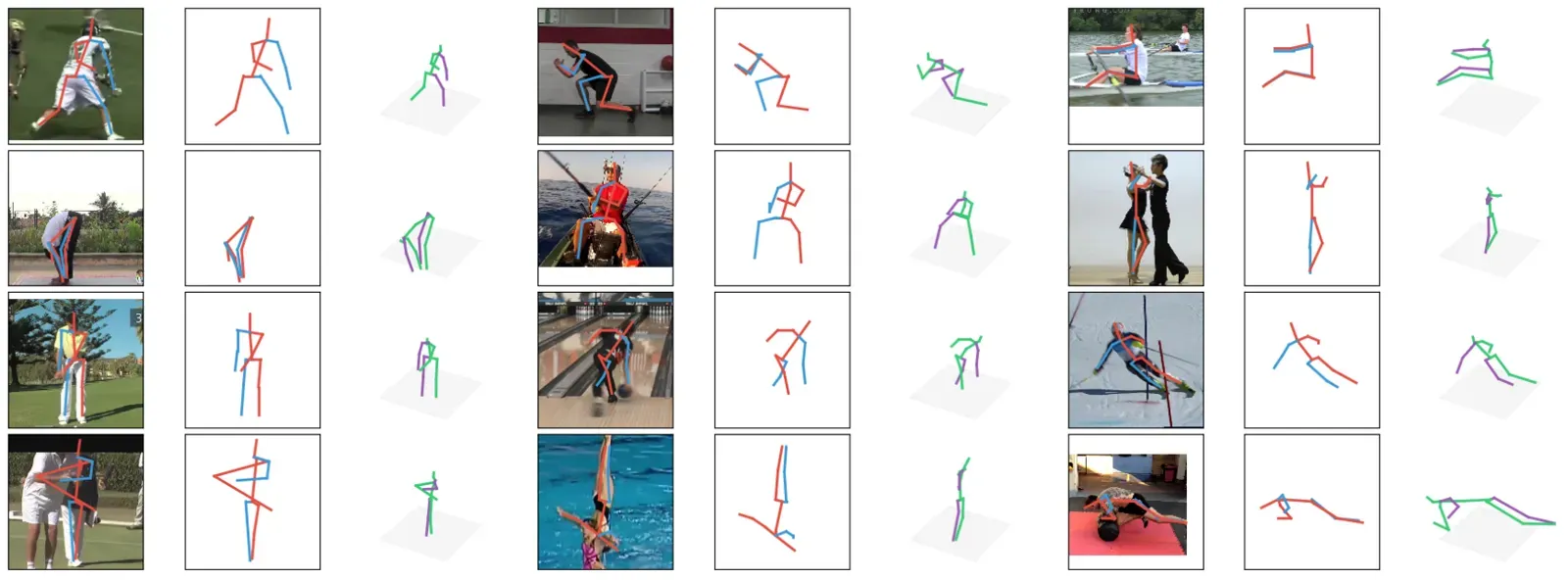 2D keypoint detection and 3D pose prediction
Human vs animal pose estimation: what changes?
Human pose estimation benefits from one fixed skeleton and very large datasets. Animal pose estimation is harder: every species has its own anatomy and poses, and there is much less labeled data. A giraffe, a goat and a beaver need three different skeletons.
| Human pose estimation | Animal pose estimation | |
|---|---|---|
| Skeleton | One standard layout, 17 keypoints in COCO | A different skeleton per species or group |
| Public data | Large datasets such as COCO | Smaller, for example AP-10K with 10,015 images of 54 species (paper) |
| Typical use | Sports, healthcare, retail, driver monitoring | Livestock health, wildlife, behavior research |
| Pretrained models | Many | Fewer; ViTPose+ has AP-10K checkpoints |
For skeletons, species, datasets and the full labeling workflow for animals, read our animal pose estimation guide. Everything below applies to both.
How to label data for pose estimation?
Pose estimation is hard because of clothing, occlusion, viewing angle, lighting and weather. Small joints such as the nose are hard to place exactly. Your keypoint set depends on the task. The image below compares the skeletons of two open-source keypoint datasets:
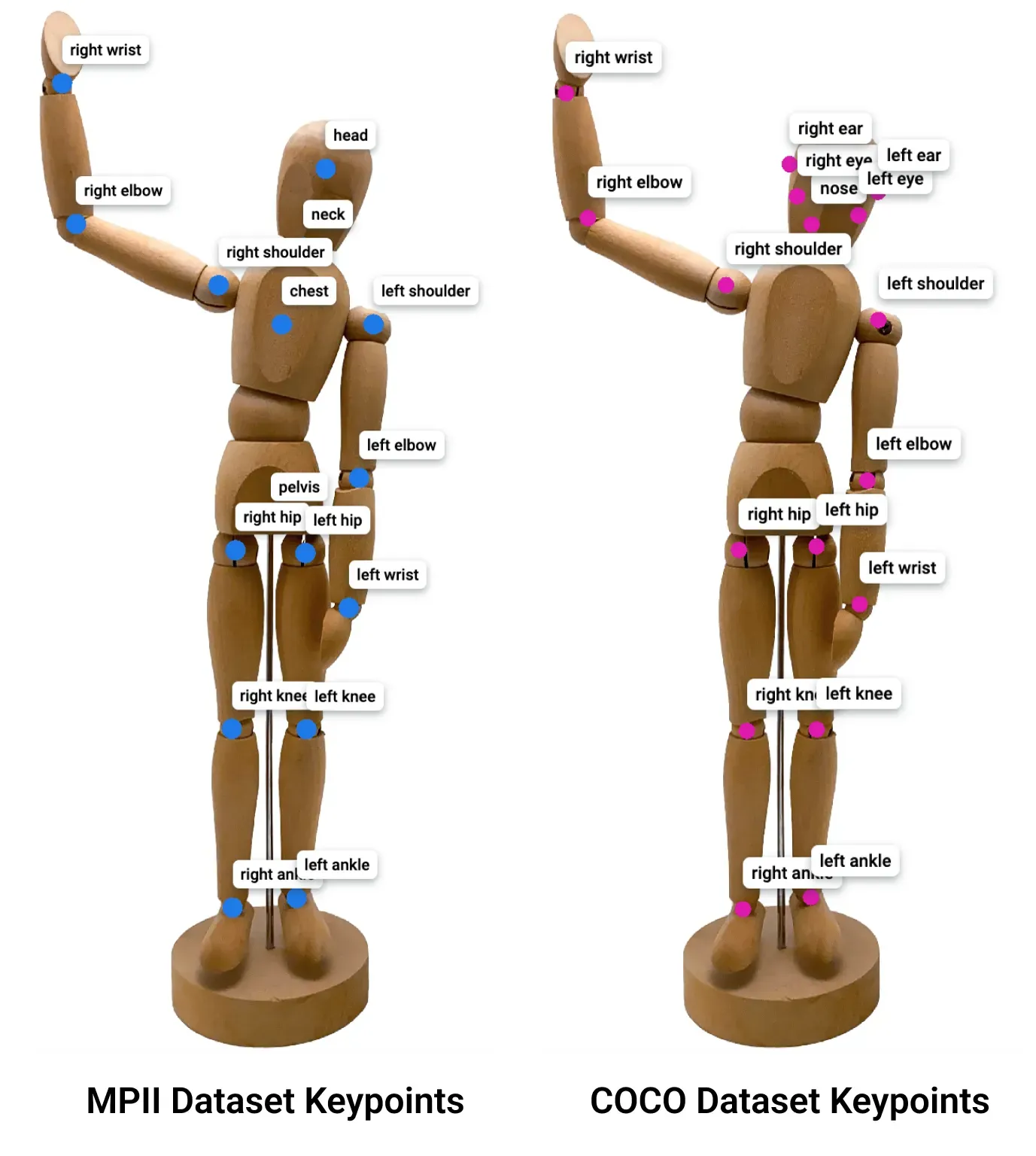 Example of location and names of keypoints
Models usually work in two steps: detect the person, then estimate keypoint coordinates. The result is drawn as a skeleton connecting the keypoints.
Video tutorial
In the video we show how to:
-
Create a keypoints class and set up a framework for defining a pose arrangement.
-
Use the ViTPose model on its own or together with YOLOv8 for human pose estimation.
Step 1. Define a keypoint skeleton template
The skeleton template is the basis for the model's understanding of the pose and depends on the task. For gesture recognition you connect the points of the hand and fingers. In sports you focus on large joints such as elbows and knees. To start, create a keypoint shape class that defines the main keypoints of the pose. See the docs for the Graph (Keypoints) tool.
Step 2. Label keypoints manually
Manual annotation gives you full control. Place the predefined skeleton on the person and refine the keypoints. Then use the labeled dataset to train a model that predicts keypoints on new images.
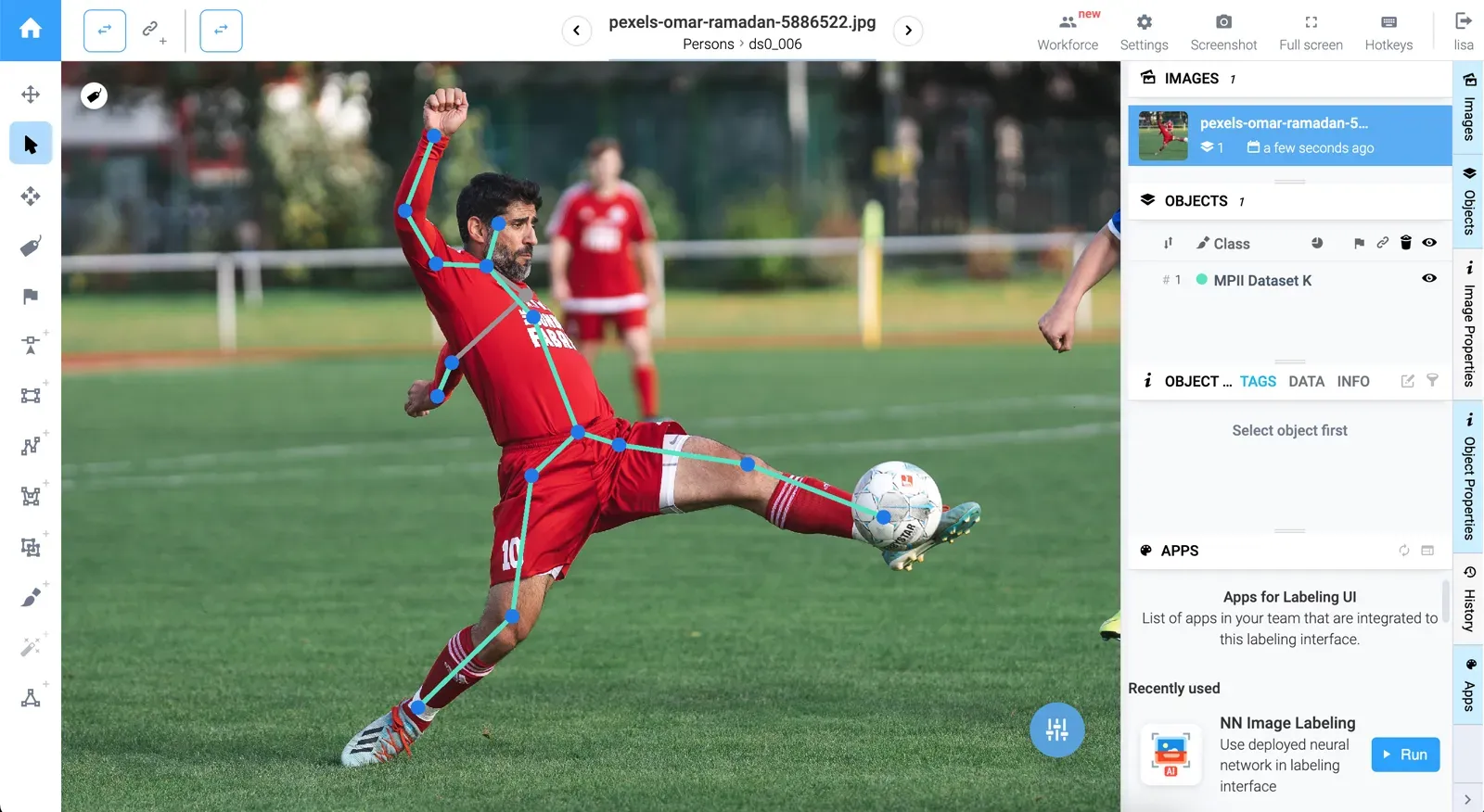 The gray line is connected to the concealed (non-visible) sections of the human
⚠️ Manual labeling needs close attention to detail to capture the nuances of human poses.
Step 3. Pre-label with ViTPose
Modern pose estimation relies on deep learning. Vision transformers, the idea behind ViTPose, have shown strong results on pose tasks. In Supervisely you can deploy ViTPose in a few clicks and use it as an assistant in the image labeling toolbox. For details, read ViTPose: how to run it and auto-label poses.


NN Image Labeling
Use deployed neural network in labeling interface
Remember that to run GPU-dependent apps on your machine you need to connect a computer with a GPU to your Supervisely account. You can connect multiple computers for enhanced computational resources. Watch a 1.5-minute how-to video to learn more.
Draw a bounding box around each person first, then apply the model. See the video tutorial for the settings.
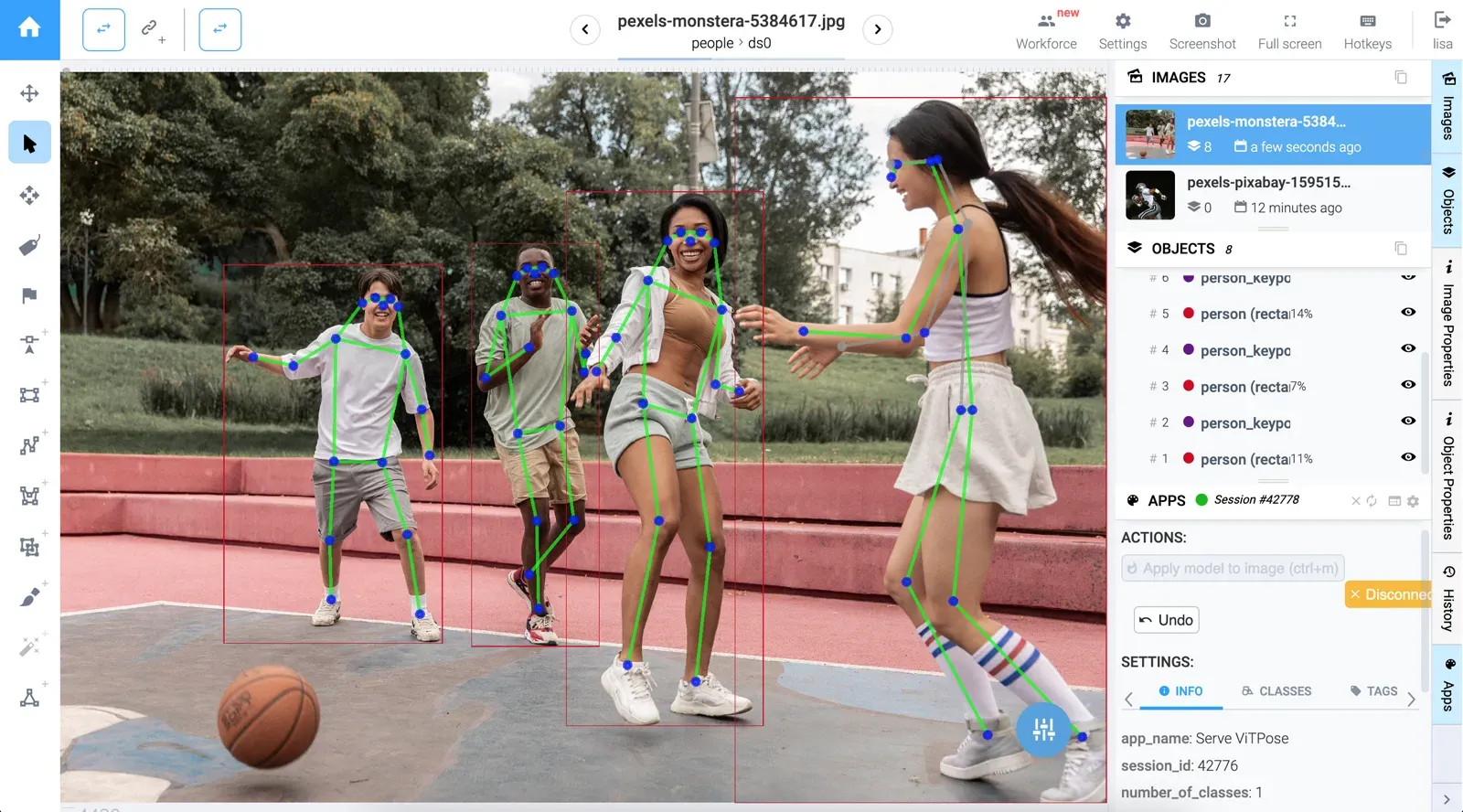 Result of Automatic Pose Estimation using the ViTPose model
Step 4. Label a whole dataset: YOLOv8 detection plus ViTPose
To pre-label a large dataset, combine object detection with pose estimation. YOLOv8 finds the people in each image, then ViTPose estimates their poses. This cuts manual annotation to review and correction.
Serve YOLOv8 | v9 | v10 | v11
Deploy YOLOv8 | v9 | v10 | v11 as REST API service

Apply Detection and Pose Estimation Models to Images Project
Label project images using detector and pose estimator
Launch the Apply Detection and Pose Estimation Models to Images Project app, adjust a couple of settings, and it runs both models for you. See the video tutorial for details.
Pose estimation for teams
Supervisely runs in the cloud or on-premise, so you can keep pose data on your own servers. Review, roles and quality control for larger annotation teams are covered in quality assurance. You can start for free in the Community Edition.
Conclusion
Pick the model by your constraint: accuracy (ViTPose), speed (RTMPose), one-model simplicity (YOLO pose) or hands and face (OpenPose). Then label a small set by hand, let a pretrained model pre-label the rest, and review. For animals, continue with the animal pose estimation guide.
Frequently asked questions
What is pose estimation?
Pose estimation is a computer vision task that finds the position of body joints, called keypoints, in an image or video and connects them into a skeleton. The standard COCO human skeleton has 17 keypoints, such as shoulders, elbows, knees and ankles.
What is the best pose estimation model?
There is no single best model. ViTPose (ViTAE-G) reports the highest accuracy in this comparison, 81.1 AP on COCO test-dev. RTMPose-m reaches 75.8 AP at 90+ FPS on an Intel i7-11700 CPU. YOLO pose models run detection and pose in one pass. Pick by accuracy, speed and license.
What is the difference between top-down and bottom-up pose estimation?
Top-down methods (HRNet, ViTPose, RTMPose) first detect each person with a bounding box, then predict keypoints inside it. Bottom-up methods (OpenPose) find all keypoints in the image first and then group them into people. Top-down is usually more accurate, bottom-up has a more predictable runtime in crowded scenes.
Can I use a human pose model for animals?
Not reliably. Human models are trained on a fixed 17-point human skeleton. Animals need their own skeletons and training data, for example AP-10K with 54 species. ViTPose+ checkpoints trained on AP-10K are available for four-legged animals.
How do I label keypoints for a custom pose dataset?
Create a keypoint skeleton class, then place and correct the skeleton on each object. To speed this up, run a pretrained pose model such as ViTPose as an assistant, or pair it with a YOLOv8 detector to pre-label a whole dataset and review the results.
Is OpenPose free for commercial use?
No. The OpenPose repository says it is free for non-commercial use only. Commercial use needs a separate license from its authors. MMPose, which includes RTMPose, is released under Apache 2.0. Check each model's license before shipping.